
How to make a pay stub on iPhone

To make a pay stub on an iPhone, install a pay stub app, enter the company and the worker, add the pay period, earnings and deductions, then preview and export the stub as a PDF. With the numbers in front of you it takes about five minutes, and the next stub is faster because you duplicate the last one.
Below is what goes into each part, using Paystub Generator as the example, and the checks that catch most mistakes before anyone else sees the stub.
Steps at a glance
- Gather the numbers. Pay period dates, pay date, hours and rate or the flat amount, and every tax and deduction for the period.
- Add the company. Enter the business name, address, phone and EIN.
- Add the worker. Enter the name, address, employee or contractor ID, last four digits of the SSN and filing status.
- Enter earnings and deductions. Add hours × rate or a flat amount, extra earnings like commission, then taxes and other deductions.
- Check YTD and export. Confirm the year-to-date totals, preview the stub and export it as a PDF or share it.
What you need before you start
Collect the inputs first, because a stub is only as accurate as what you type into it. You need the pay period start and end dates, the pay date, the pay frequency and how the money was paid (direct deposit, check or cash).
For earnings, have the hours and hourly rate, or the salary amount for the period, plus any overtime, commission or bonus. For deductions, have the federal and state income tax withheld, Social Security and Medicare, and anything else such as a 401(k) contribution or health insurance premium. If this isn't the first stub of the year, also have the year-to-date totals from the previous stub.
Step 1 and 2: company and worker details
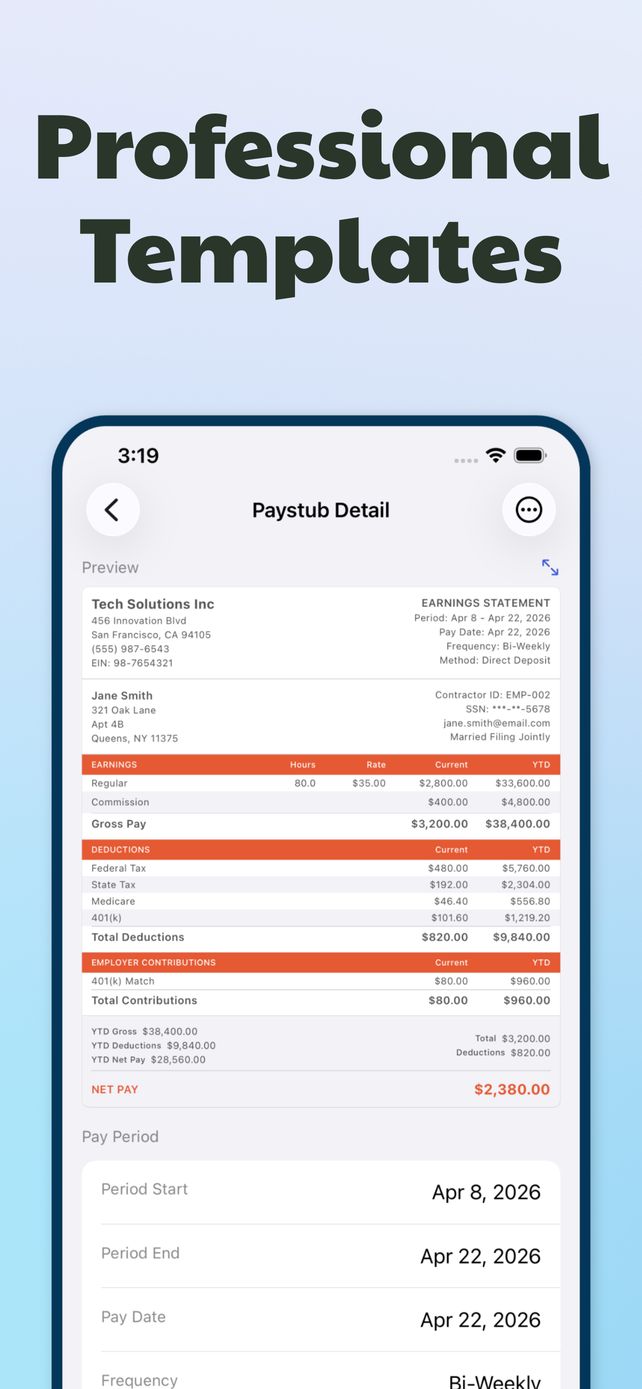
The top of a pay stub identifies who paid and who got paid. For the company, enter the legal business name, address, phone and EIN. A sole proprietor without an EIN can use the business name and leave the EIN blank rather than inventing one.
For the worker, enter the full name and address, an employee or contractor ID if you use one, and only the last four digits of the Social Security number, shown as ***-**-5678 on the sample stub. That's the safe default for anything you email. Filing status (single, married filing jointly and so on) is shown because it affects federal withholding.
Step 3: enter earnings and deductions on your phone
Add earnings line by line. Hourly pay is hours × rate: 80 hours at $35 is $2,800 for a two-week period. Add commission, overtime or a bonus as separate lines so the reader can see where the gross came from. In the example stub, $2,800 regular plus $400 commission gives a gross of $3,200.
Then add deductions: federal tax, state tax, Social Security, Medicare and anything voluntary like a 401(k). The app totals them and shows net pay. If your state has no income tax, leave that line out instead of entering zero, so the stub stays clean.
Step 4: check YTD, preview and export the PDF
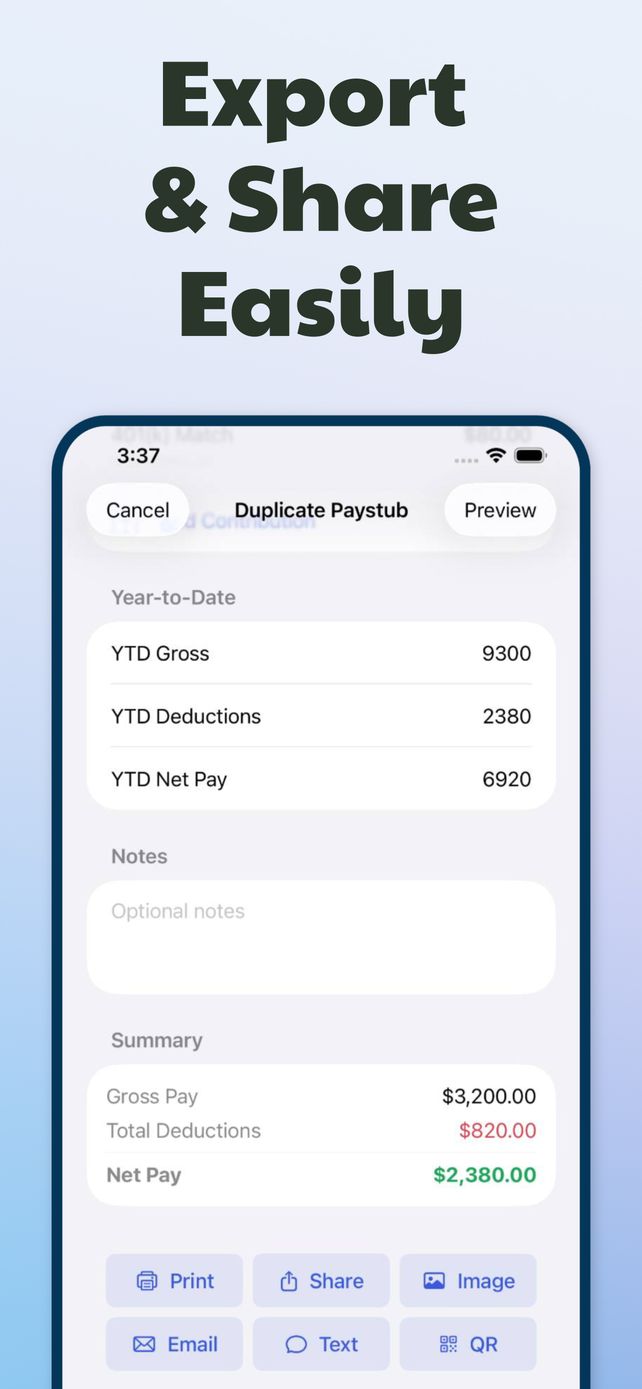
Before exporting, read the preview top to bottom. The three checks that catch most errors: gross minus total deductions equals net pay; each YTD figure equals last stub's YTD plus this period; and the pay date falls after the period end, not before it.
When it looks right, export. You can save a PDF, save an image, print, or send it by email, text message or QR code directly from the phone. Lenders and landlords usually prefer the PDF.
Making the next stub faster
Pay stubs repeat. Open last period's stub and duplicate it: company, worker and pay lines carry over, so you only change the dates, the hours and the YTD figures. Everything you create stays in History, grouped by month and searchable by name, so you can resend an old stub without rebuilding it.
One rule that matters more than speed: only enter real figures. A stub is a record of money that was actually paid. If the numbers don't match bank deposits and tax filings, the stub creates problems instead of solving them.
Questions
Can I print a pay stub from my iPhone?
Yes. Export the stub and use Print with any AirPrint printer, or save the PDF to Files and print it from a computer later.
Should a pay stub show the full Social Security number?
No. Show only the last four digits. A full SSN on a document you email or upload is an identity theft risk, and payroll providers mask it for the same reason.
Related guides
 How to read a pay stubEvery section and abbreviation, walked through on a real example.
 How to make a pay stub if you're self-employedPayer, payee, owner's draw and tax set-asides, done so the numbers hold up.
 How to calculate net pay from gross payFour subtractions, two worked examples, and where people slip.